Plan for your approval · Vortex Creative Center · 26 October 2026

Create: generate like on Higgsfield, made by our Claude with our rulebook

You asked for a Higgsfield-style place to generate, as a first-class part of the studio, where Claude Code makes the video with our harness, and where you watch it being made step by step by our rulebook. This is the plan, with mockups. Nothing is built yet. Separately: PR #4 is merged (the pipeline, Our games, Videos), not deployed yet.

Plan + mockupsPR #4 merged · not deployedAbout 4–5 days in 4 partsNo money spent
What changes

One place to make things, and you watch them being made

The mockups

Static mockups in the studio’s own design, with the real Street Booth rules (G1–G15 from its DNA) and KIE list prices. The pictures are blurred colour placeholders, not generated images. “Demo game” stands in for one of our games. Tap a picture to see it whole. The mockups are also clickable.

01Being made: the step-by-step view, by our rulebookThe first-class view you asked for: the video being made, each step with the rule behind it, its model, price and output, live.+
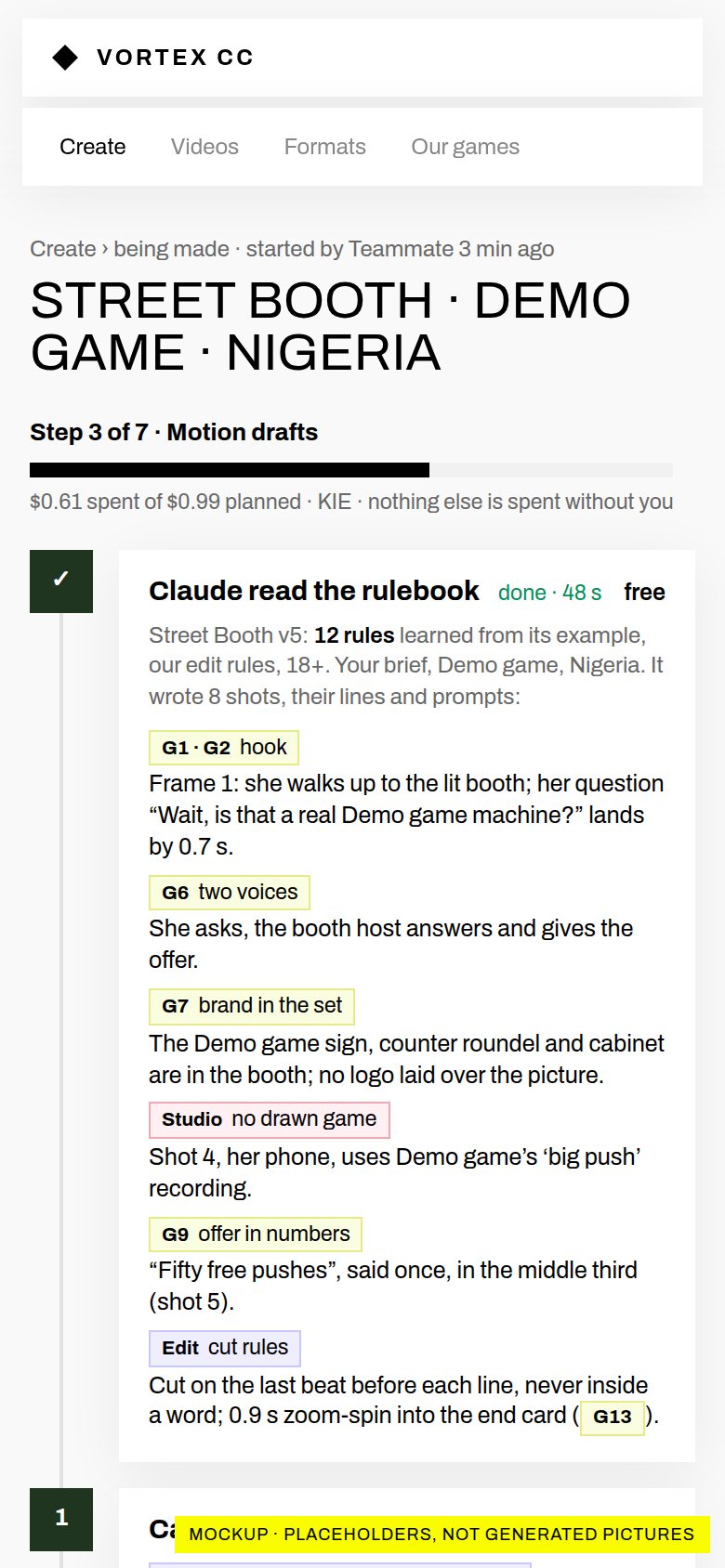
Proposeda Street Booth video, step 3 of 7
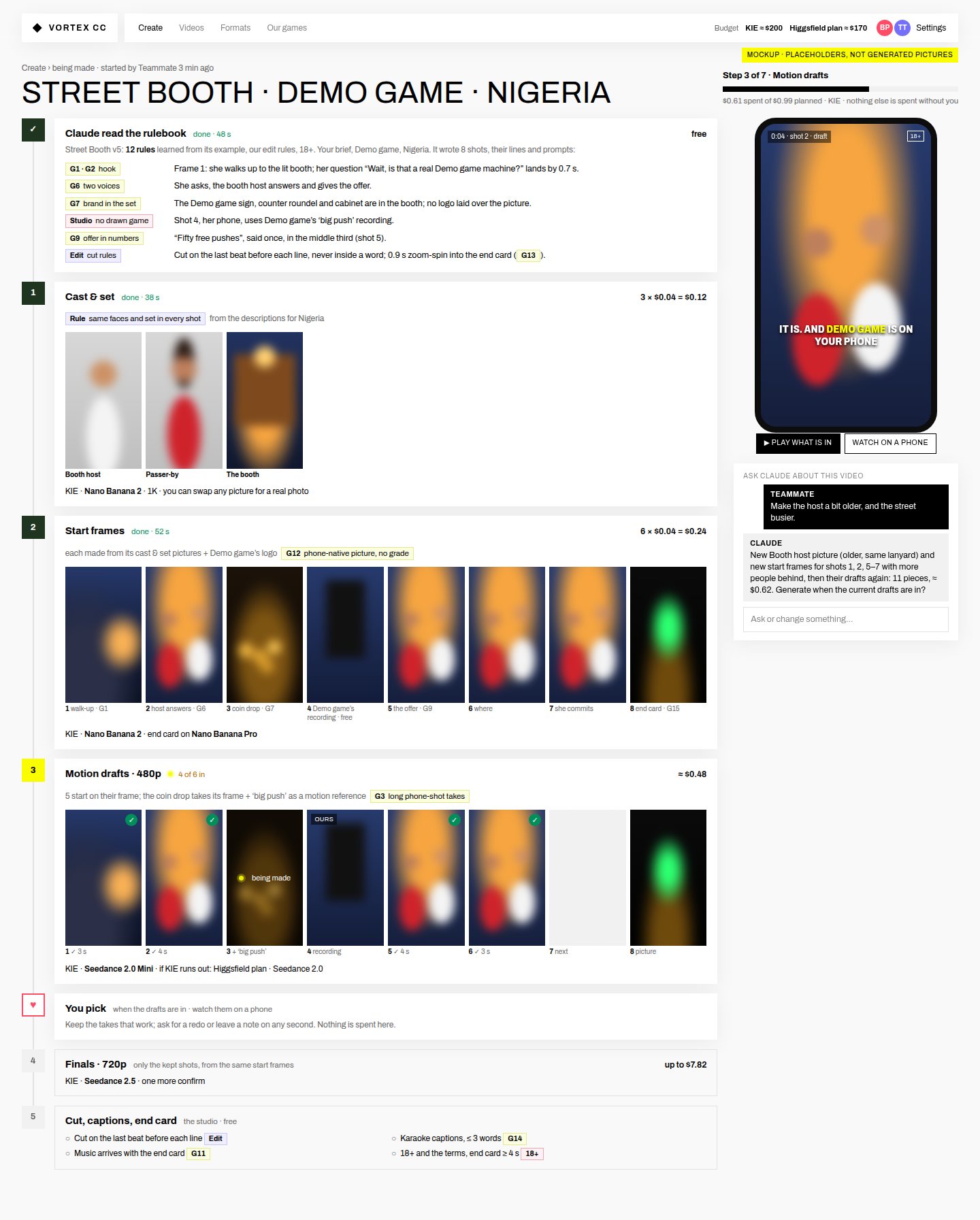
The being-made view
Claude read the rulebook (48 s, free) and shows its decisions with the rule behind each: G1·G2 hook by 0.7 s, G6 two voices, G7 brand in the set, Studio: no drawn game (shot 4 uses our recording), G9 offer in numbers, the edit rules. Then: cast & set (3 × $0.04), start frames (6 + the end card, each tagged with its rule), motion drafts 4 of 6 in (the coin drop with ‘big push’ as motion), ♥ you pick, finals up to $7.82, the cut with its checks. On the right: the spend meter ($0.61 of $0.99), the phone preview, and Ask Claude (“make the host older” → 11 pieces, ≈ $0.62, priced first).
Proposedon a phone
The being-made view on a phone
The same steps stacked; the rule chips stay readable.
Todaywhat you see now
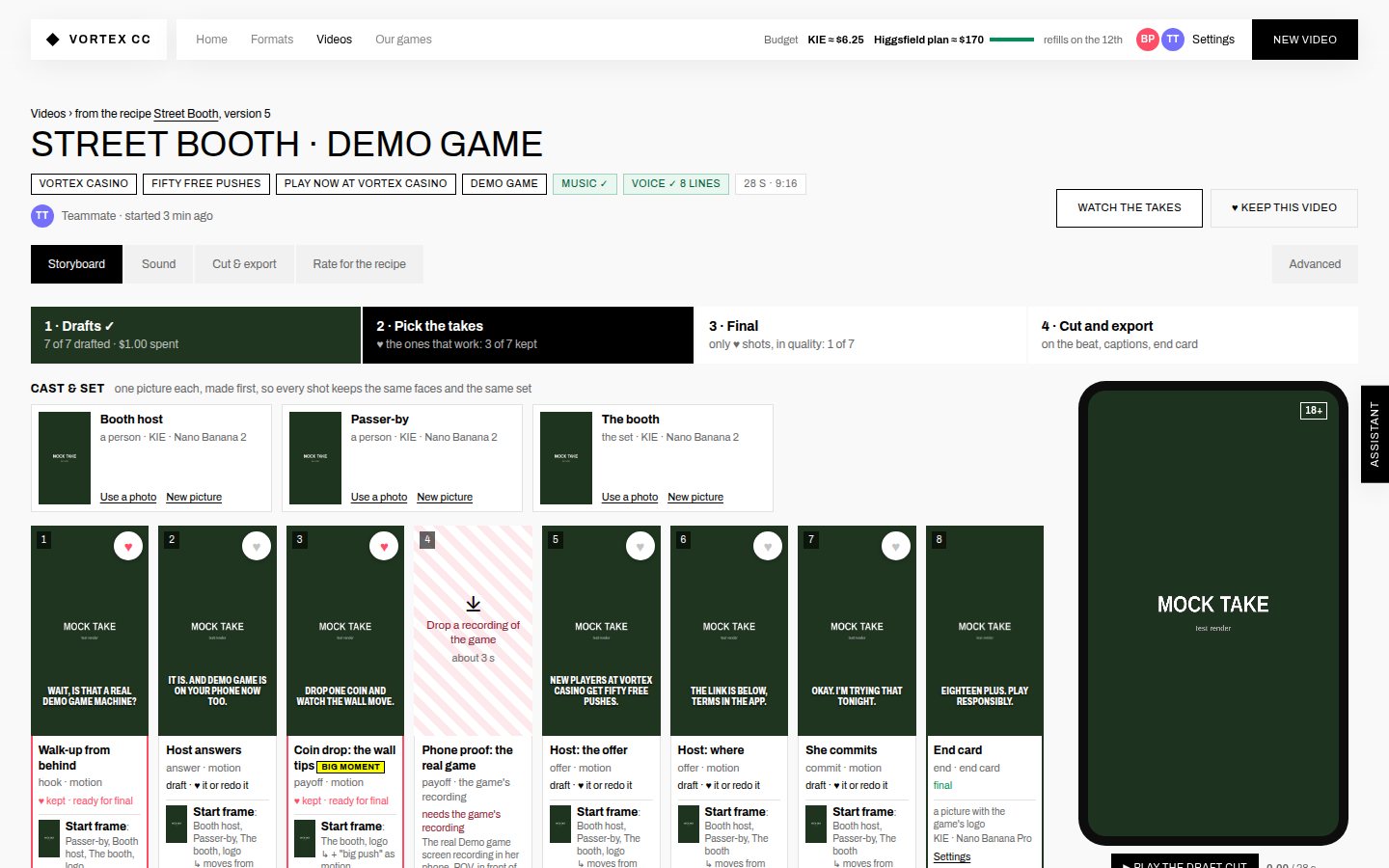
The storyboard today
Today a video is made from its storyboard. The cards fill in, but the steps, the rules behind them and the spend aren’t shown as they happen, and Claude doesn’t take part.
02Create: the first page, like Higgsfield’s create screenThe composer, the formats to start from (like Content Factory’s trending styles), what is being made now, and Generations.+
ProposedCreate
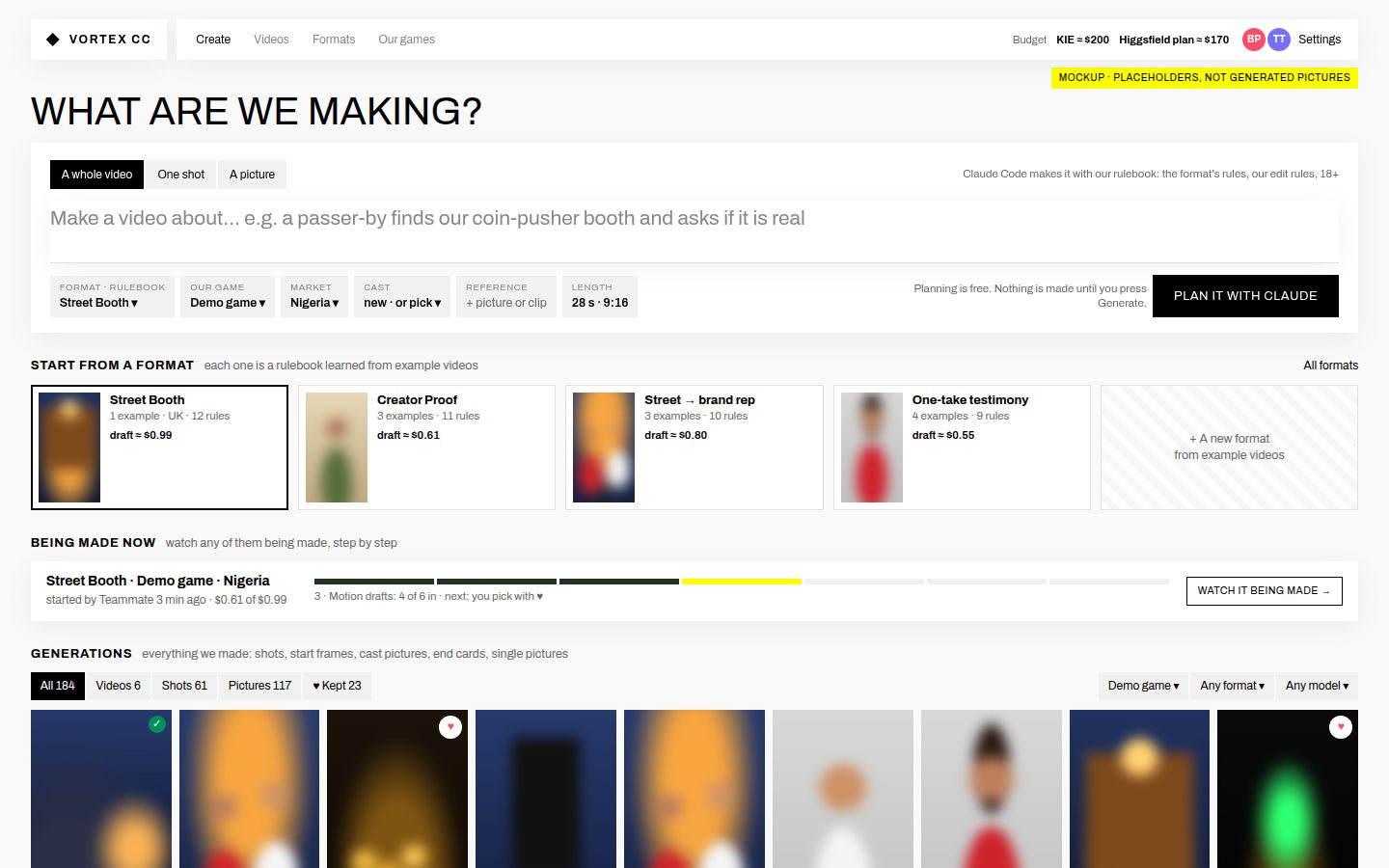
The Create page
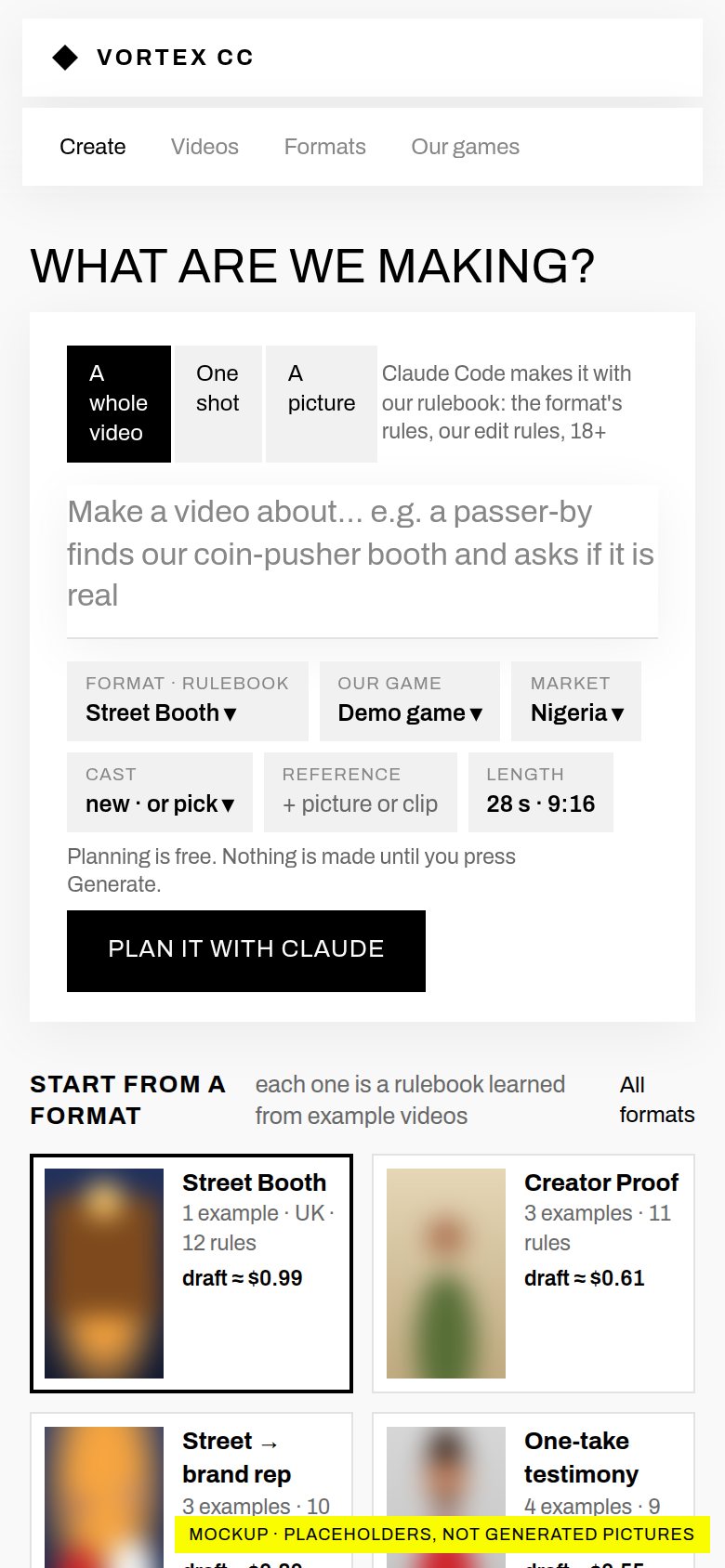
“Make a video about…” with A whole video / One shot / A picture. Picks: format (rulebook), our game, market, cast, a reference picture or clip, length. Plan it with Claude (free). Below: start from a format (Street Booth, 12 rules, draft ≈ $0.99 …), being made now (step 3 of 7, Watch it being made →), and Generations with filters (videos, shots, pictures, ♥ kept, by game, format, model).
ProposedCreate on a phone
Create on a phone
The same page on a phone.
Todaygenerating starts at New video
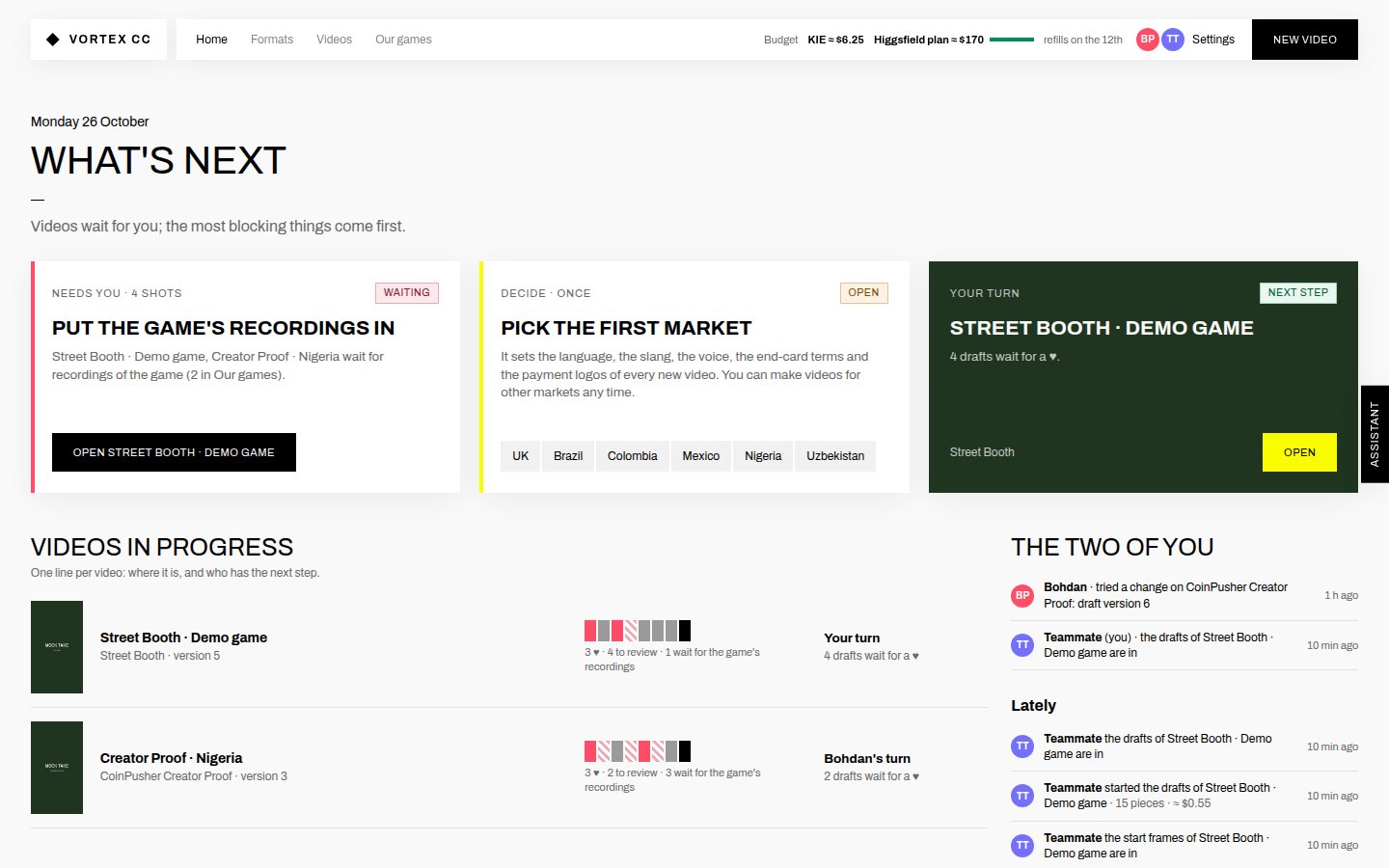
Home today
Today: Home is “What’s next”, a video starts at New video, and the assistant sits on the edge. In the plan, Create takes the first place and What’s next becomes a strip on it.
03Claude’s plan, before anything is spentEvery step with what goes in, the rule behind it, the model, how many and the price; one Generate, or Frames first.+
ProposedClaude’s plan
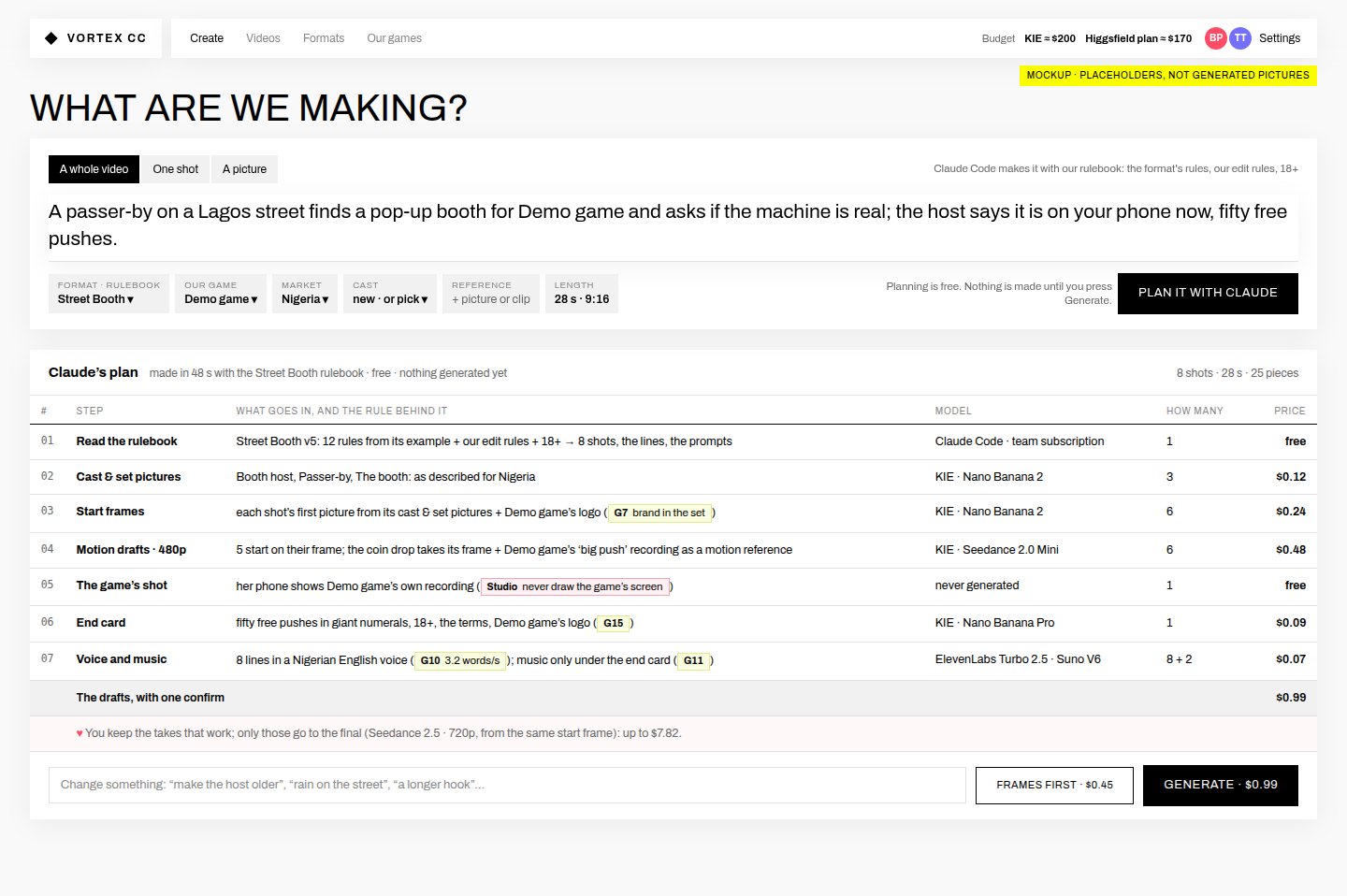
Claude's plan
Read the rulebook (free) → cast & set $0.12 → start frames $0.24 (G7) → motion drafts $0.48 → the game’s shot, never drawn (Studio rule) → end card $0.09 (G15) → voice and music $0.07 (G10, G11): the drafts $0.99 with one confirm; ♥; finals up to $7.82. “Change something” talks to Claude; Frames first · $0.45; Generate · $0.99.
04One generation: how it was made, and what nextEvery picture or take shows its chain, the rules it follows and what Claude asked the model for.+
Proposeda take
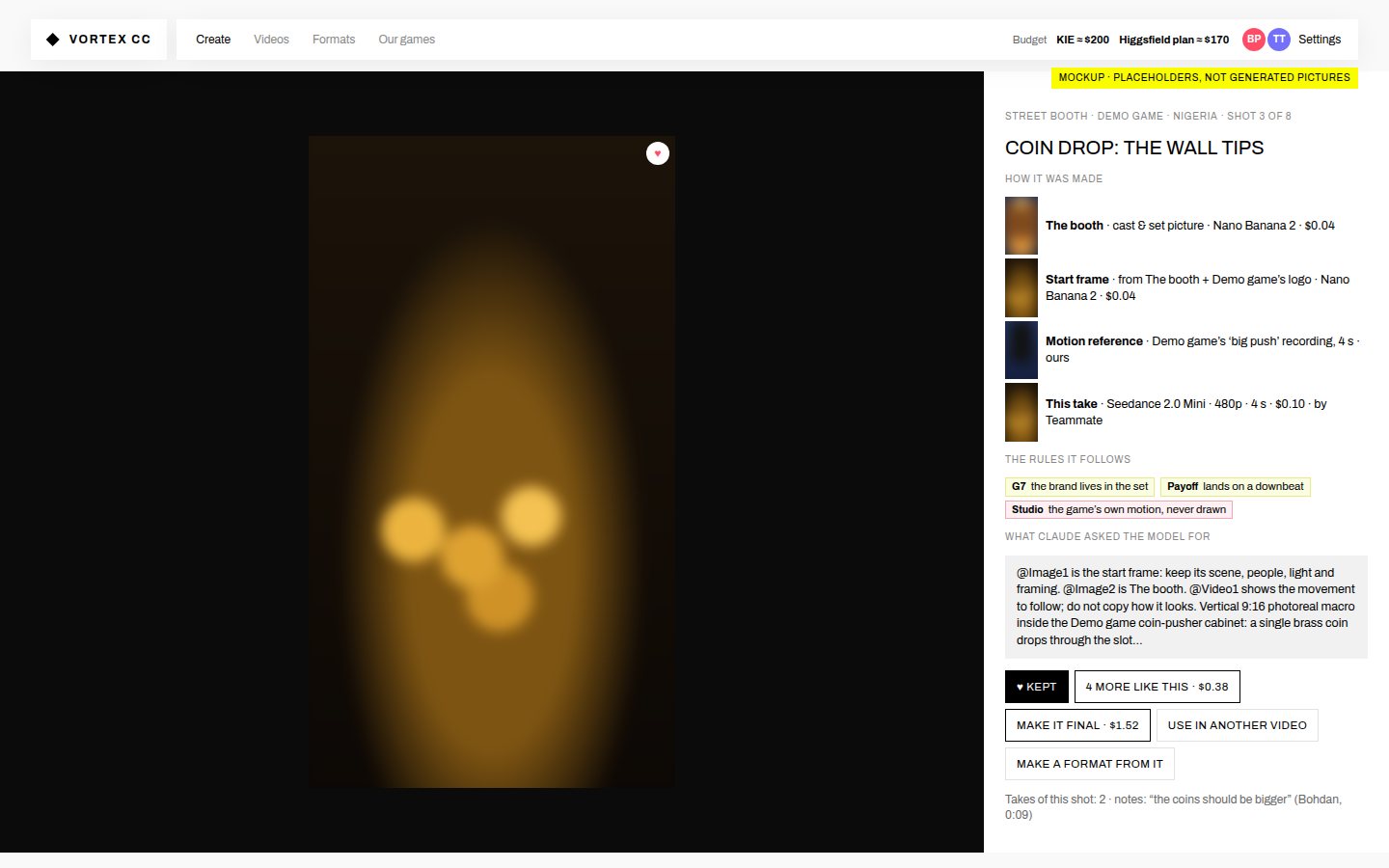
One generation
The coin drop: the booth picture → its start frame (+ Demo game’s logo) → Demo game’s ‘big push’ as the motion reference → this take (Seedance 2.0 Mini, $0.10). The rules: G7, payoff on a downbeat, the game’s own motion. The words Claude sent the model. Actions: ♥ Kept, 4 more like this ($0.38), Make it final ($1.52), Use in another video, Make a format from it.

How it works

  1. Our Claude, not Higgsfield’sThe same Claude Code on the team subscription that already runs the assistant and the example readings, limited to the studio’s own commands. It plans and explains; it never spends. A person’s Generate starts the work, as today.
  2. Harness-based, all the wayEvery Create job is a recipe version run by the pipeline we just merged (cast & set → start frames → motion → ♥ → final → cut). “One shot” and “a picture” are one-shot recipes Claude writes from a format, so a good one can become a format of its own.
  3. The rulebook, cited at every stepThe format’s rules from its examples (G1 hook in the first second, G7 brand in the set …), our edit rules (cut on the beat, never inside a word, captions follow the voice), the studio rules (never draw the game’s screen, 18+ end card ≥ 4 s, banned phrases) and the market’s words. Each step and each prompt names the rules it follows, and the checks run before you press Generate.
  4. Live, step by stepClaude’s decisions stream into the first step while it plans (about a minute for a whole video). Each later step fills in as its pieces land: status, pictures, takes, what it cost. You can leave the page and come back.
  5. The same two accountsThe Higgsfield plan (through its command-line tool) and KIE, with the same fallback. Once the Higgsfield plan is signed in on the server, Higgsfield’s own extras can join: its motion presets as a “Moves” row, Soul ID characters as cast, workflows such as draw-to-video, and your past Higgsfield generations pulled into Generations.

Higgsfield’s interface → ours

On HiggsfieldHere
Create screen: prompt box, model, start frame, references, aspect and length, credits on GenerateThe Create composer: a brief instead of a raw prompt; format = rulebook; our game, market, cast, references; the price on Generate, after Claude’s plan
Content Factory: pick a trending style → “Make a video about…” → “Generate in Claude”Start from a format (each learned from examples) → “Make a video about…” → Plan it with Claude (ours, with our rulebook)
My generations / My elements / My favoritesGenerations (everything we made), Our games and the cast & set pictures, ♥ Kept
Genjutsu: keep the motion, recast with your characters and productsA motion clip as a reference, or Kling Motion Control copying a movement (built in PR #4)
Soul ID characters; camera-move presetsCast & set pictures (built); Higgsfield’s Soul ID and presets once the plan is signed in
“Explore the inside of every project”: all prompts and assetsEvery generation shows how it was made, the rules it follows and the words sent to the model

In four parts, each shippable on its own

  1. The being-made view, for every video · about 1 dayThe step-by-step view with the rule behind each step, live status, outputs in place, the spend meter and the phone preview, for every run (draft, frames, final). Plus Generations: everything we made, with filters and how each was made.
  2. Create + Claude’s plan · about 1.5 daysCreate becomes the first page. The composer, “start from a format”, Claude planning a whole video with the rulebook (free, its decisions streamed in), the priced plan, Generate or Frames first, then straight into the being-made view. Ask Claude while it is being made.
  3. One shot and a picture · about 1 dayOne-shot recipes from a format; references from Our games, the cast, or an upload; “4 more like this”, make it final, use it in another video, make a format from it.
  4. Higgsfield extras · about 1 day, after the sign-inHiggsfield’s motion presets as a Moves row, Soul ID characters as cast, your past Higgsfield generations in Generations.

What I need from you

  1. Approve the plan, or change itThen I build part 1 first: the being-made view is the part you called first-class.
  2. Create as the first page?I suggest yes: Create first in the menu, and What’s next as a strip on it. Or keep Home first, with Create second.
  3. “Write it myself”?I suggest a small switch in the composer to skip Claude and write the prompt yourself. The rulebook checks and the price still apply.
  4. Which Higgsfield screens did you use most?Video create with presets, Soul ID, Content Factory, or Cinema Studio? A screenshot of the one you used every day lets me match it closely.
  5. Deploy PR #4?It’s merged, not live. Say “deploy” and it goes to the studio server with a database backup first, as with PR #3.
  6. Higgsfield sign-in on the serverNeeded for its presets, Soul ID and your past generations, and for the plan’s credits. When you’re at a browser, I’ll start it and you paste back the link it gives you.

What I checked, and what I didn’t