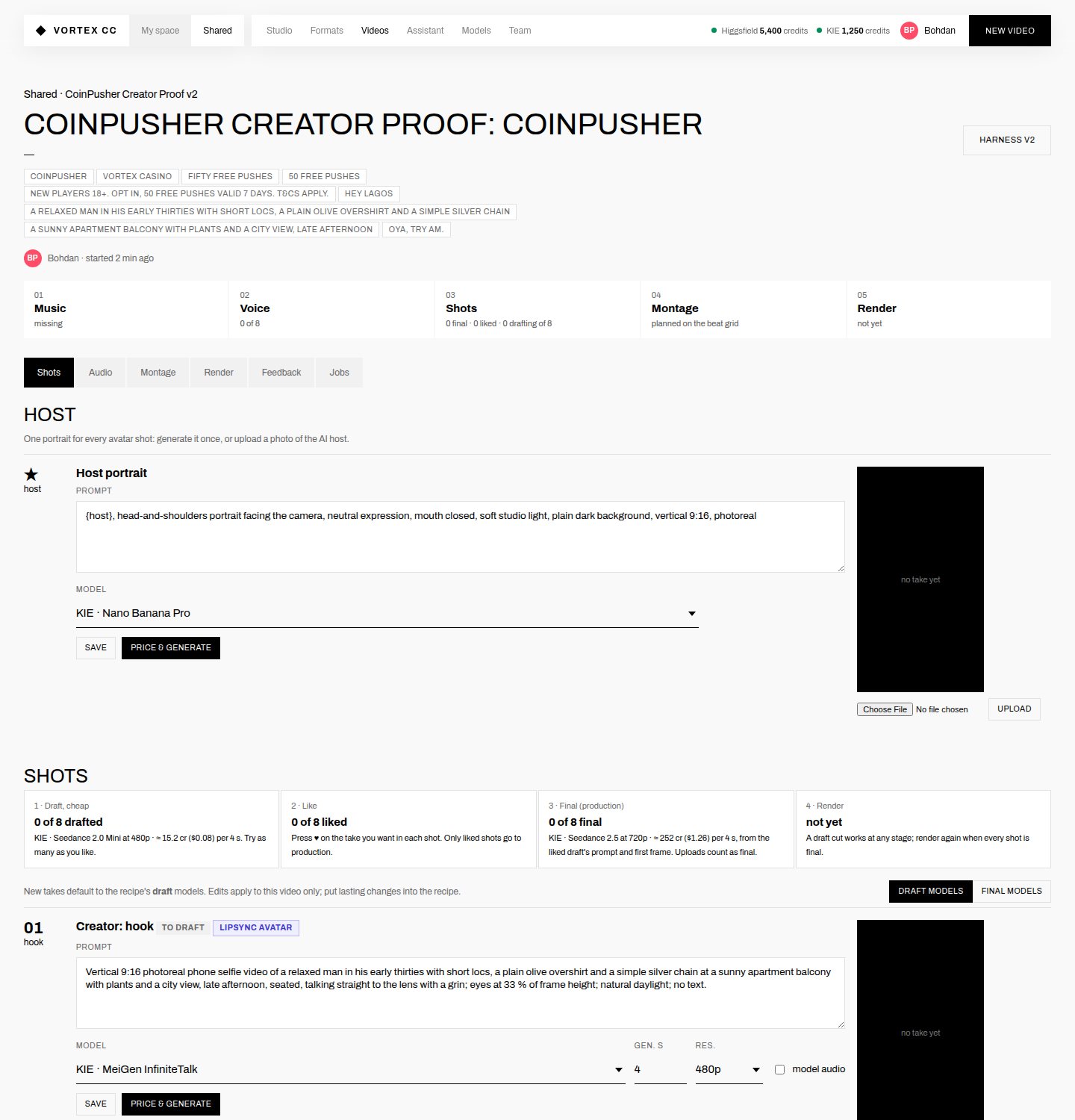
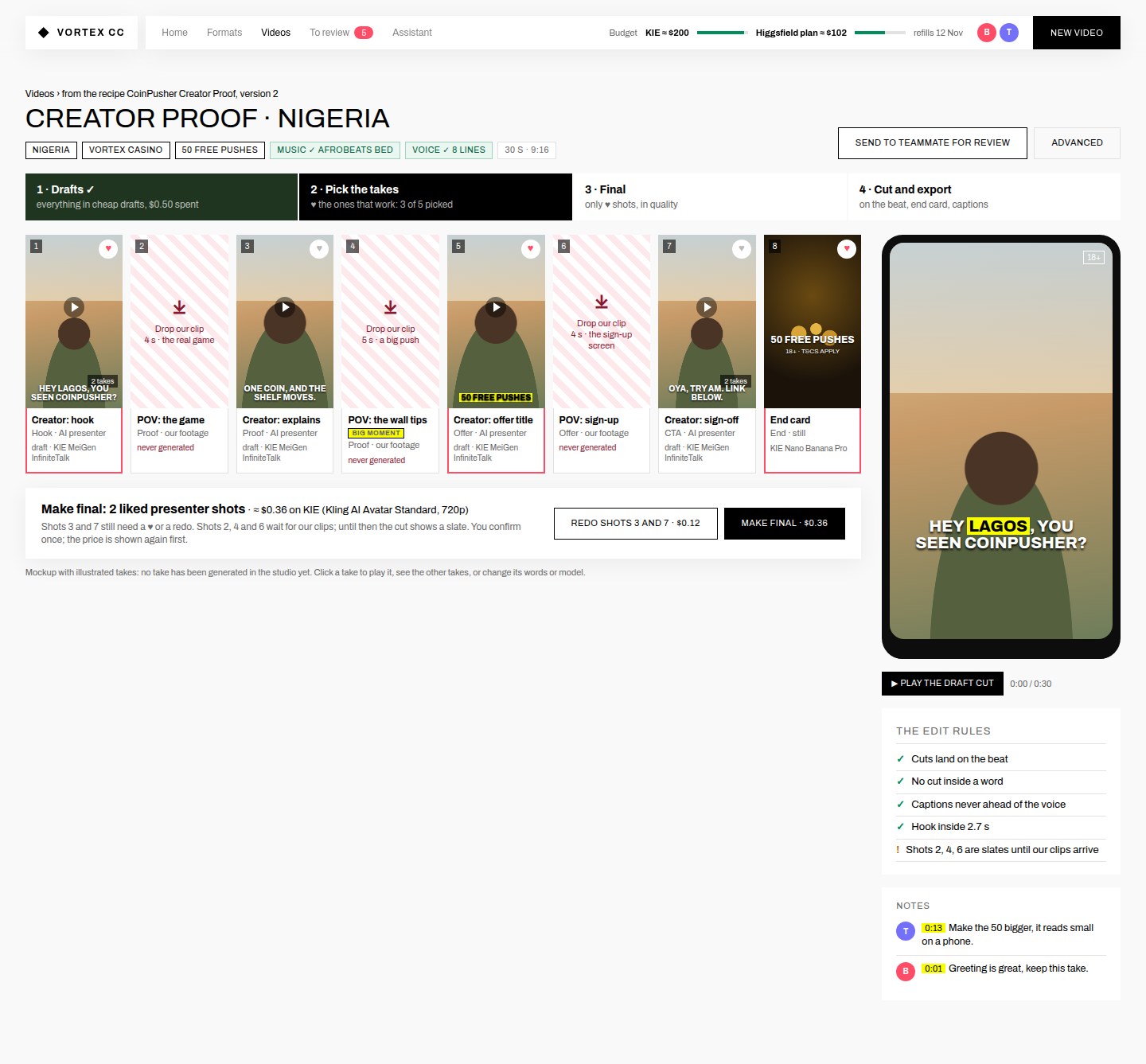
01A storyboard for each video, not a long formSee all 8 shots at once, start every draft with one confirm, ♥ the good takes, make only those final with one more confirm.+
Beforevideo page, Shots tab
Aftermockup
What changes
- One draft run: music, voice, host portrait, every AI shot and the end card in one go. Priced first, one confirm: about $0.50 for Creator Proof.
- One final run: only the ♥ shots, priced and confirmed once (2 liked presenter shots ≈ $0.36).
- Click a card to play its takes, redo it, or change its words or model in a side panel. Raw prompts live there, not on the page.
- The phone preview plays the draft cut at any point; the edit rules sit under it as ticks.
- Notes from the other person pinned to a second of the video.
Why
Today, drafting one video means 9 trips through prompt box → price → confirm, in the right order, across two tabs. With a storyboard you judge the video as a video. You still confirm every spend yourself; there are just two confirms instead of nine.
Mthe job queue and prices already exist (jobs.js, workflow.js); this is mostly a new page on top of them.
02Our footage is never generatedShots that must be a real recording become "drop our clip" slots, with no model and no generate button.+
What I found
- Creator Proof shots 2, 4 and 6, and Street Booth shot 4, say "UPLOAD, do not generate: the real game / sign-up screen recording".
- The video page still gives them Seedance 2.0 Mini for drafts and Seedance 2.5 for final, with a "Price & generate" button.
- In Creator Proof they cost $0.25 of drafts and $4.10 of the $4.78 final. That's money spent on something we decided never to do: a model drawing the game's screen.
- We have no CoinPusher recording, logo or key art yet, and the studio can't yet put a recording into a phone in someone's hand (the "screen-replace" step).
What changes
- A recipe shot can be marked "our footage". It shows as a striped drop zone (see shots 2, 4, 6 in change 01) and is left out of every price.
- The home page lists the footage as the first thing to do, with how many shots wait for it (change 03).
- Until the clip arrives, the cut shows a labelled slate, as it does now.
- Later: a screen-replace step, so a game recording can go into a generated hand-held phone. Format C (one-take testimony) needs it too.
Sa flag on the shot plus the drop zone. I'd build this first because it protects money.
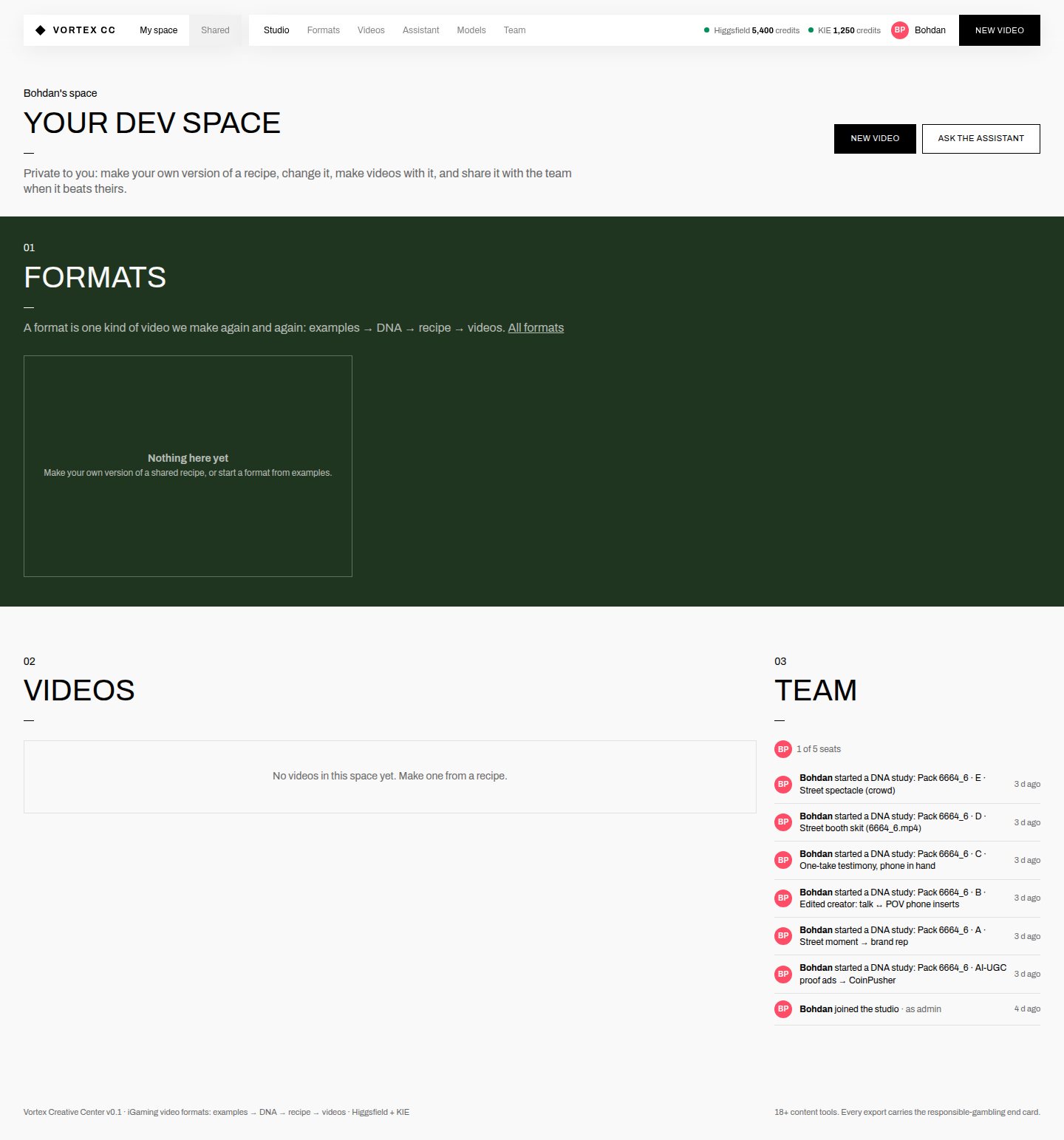
03Home tells you what's nextInstead of "My space · Nothing here yet", the three things that block the first video, then the videos in progress and whose turn it is.+
Beforehome, My space
Aftermockup
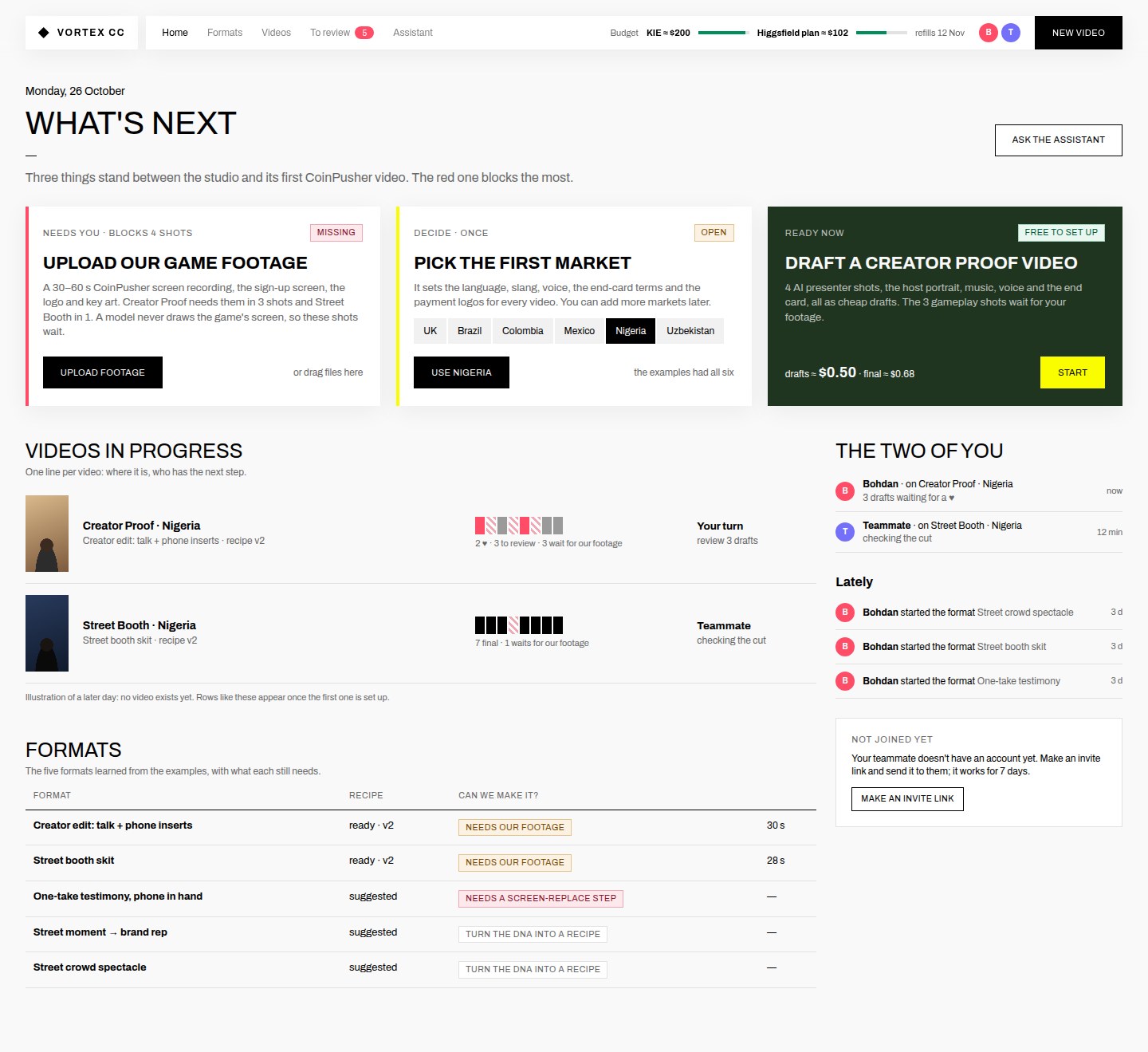
Beforehome, Shared
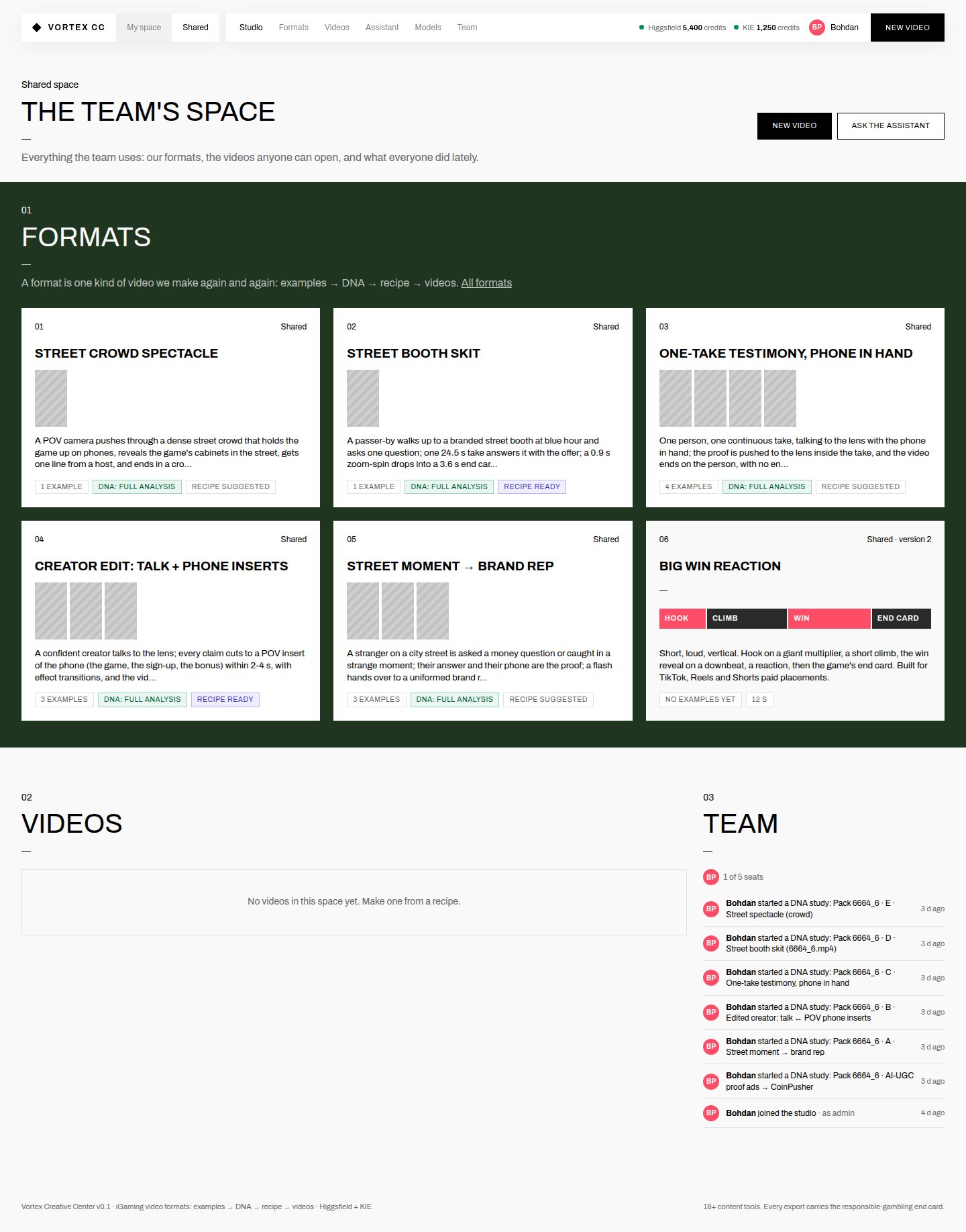
What changes
- The next-step cards come from real state: missing footage, open decisions, recipes ready to draft, takes waiting for a ♥.
- Budget in dollars at the top of every page: KIE ≈ $200 and the Higgsfield plan ≈ $102 until it refills on 12 Nov (balances from the 26 Oct check). It replaces the credit counters.
- A "To review" count in the menu for takes and cuts waiting on you.
- The six generic starter recipes (Big Win, Crash, Slot trailer…) move out of the way; the two CoinPusher recipes come first everywhere.
S–M
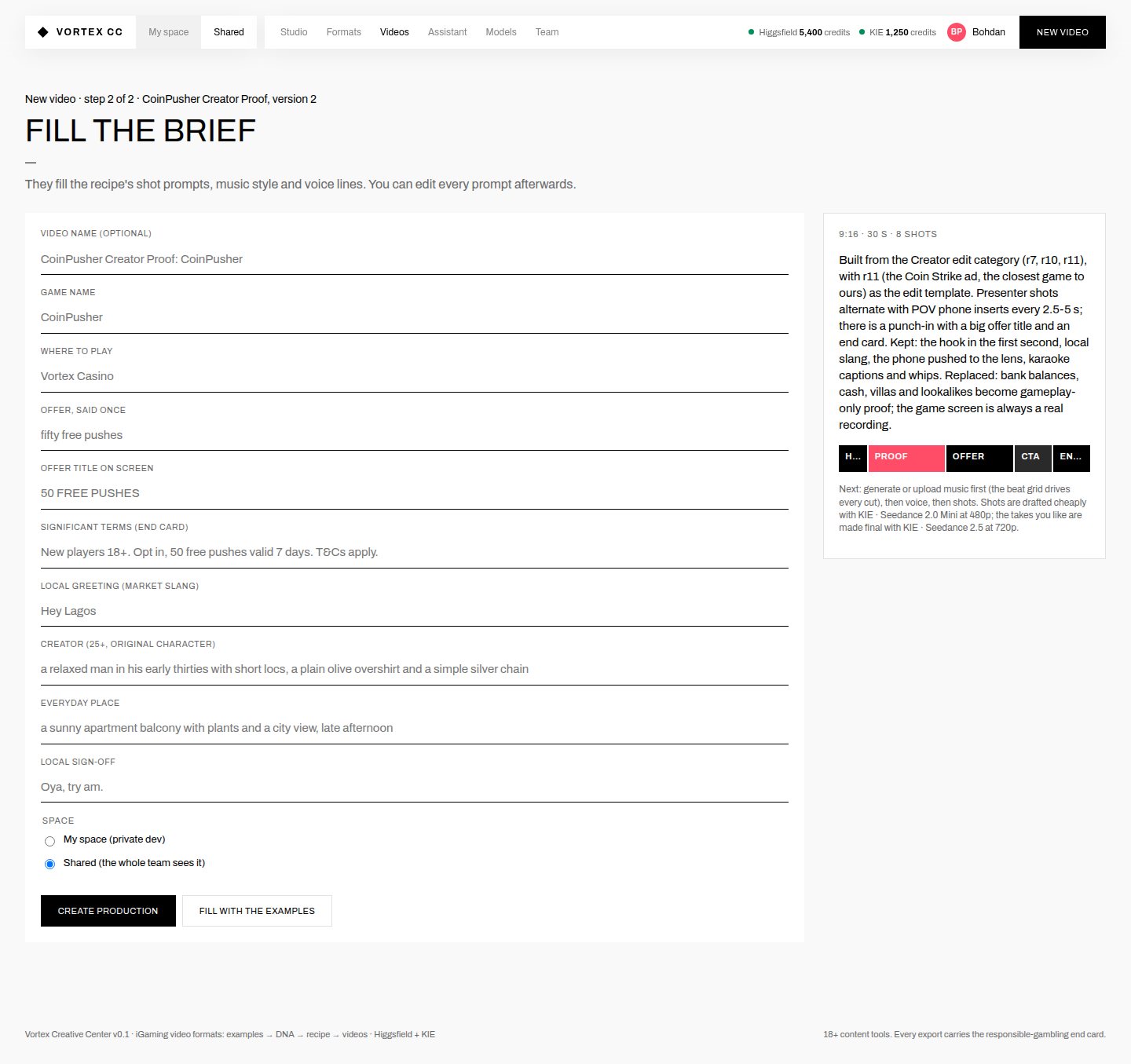
04New video on one page, market firstPick the recipe and the market. The market fills in the language, greeting, sign-off, voice, end-card terms and payment logos.+
Beforestep 1 and step 2
Aftermockup
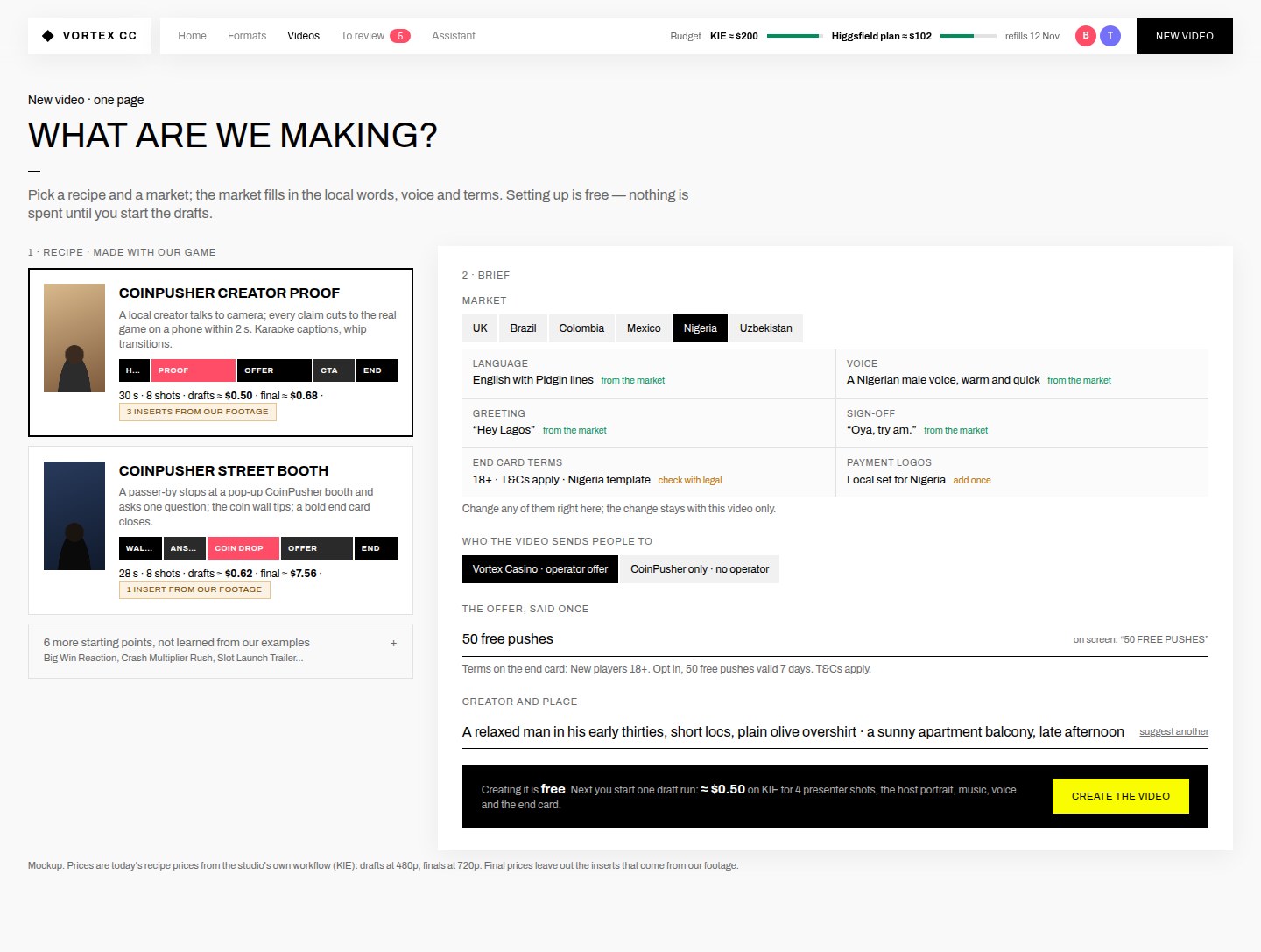
What changes
- The market is a switch: UK, Brazil, Colombia, Mexico, Nigeria, Uzbekistan (the six markets in the examples).
- Things the market sets show "from the market"; anything needing a person's check says so ("check with legal").
- "Who the video sends people to" makes the operator-vs-brand decision visible.
- Creating a video stays free; the bar says what the first draft run will cost.
Why
The market is the decision that's been open the longest, and it changes the words, the voice, the terms and the logos. Today it's hidden in two slang fields, and nothing stops a Nigerian creator from speaking with a stock American voice.
Mneeds a small per-market table (words, voice, terms, logos) the two of you fill in once.
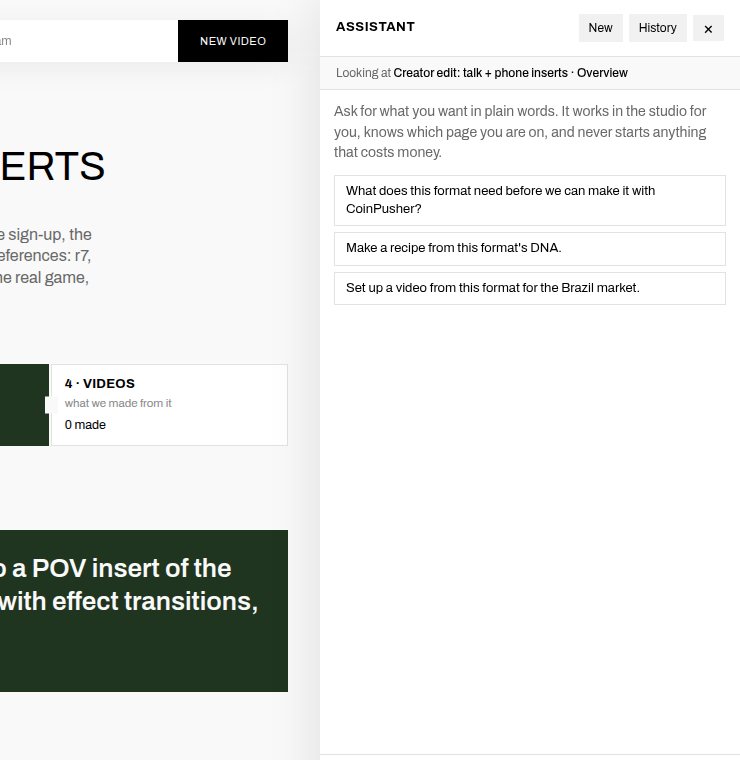
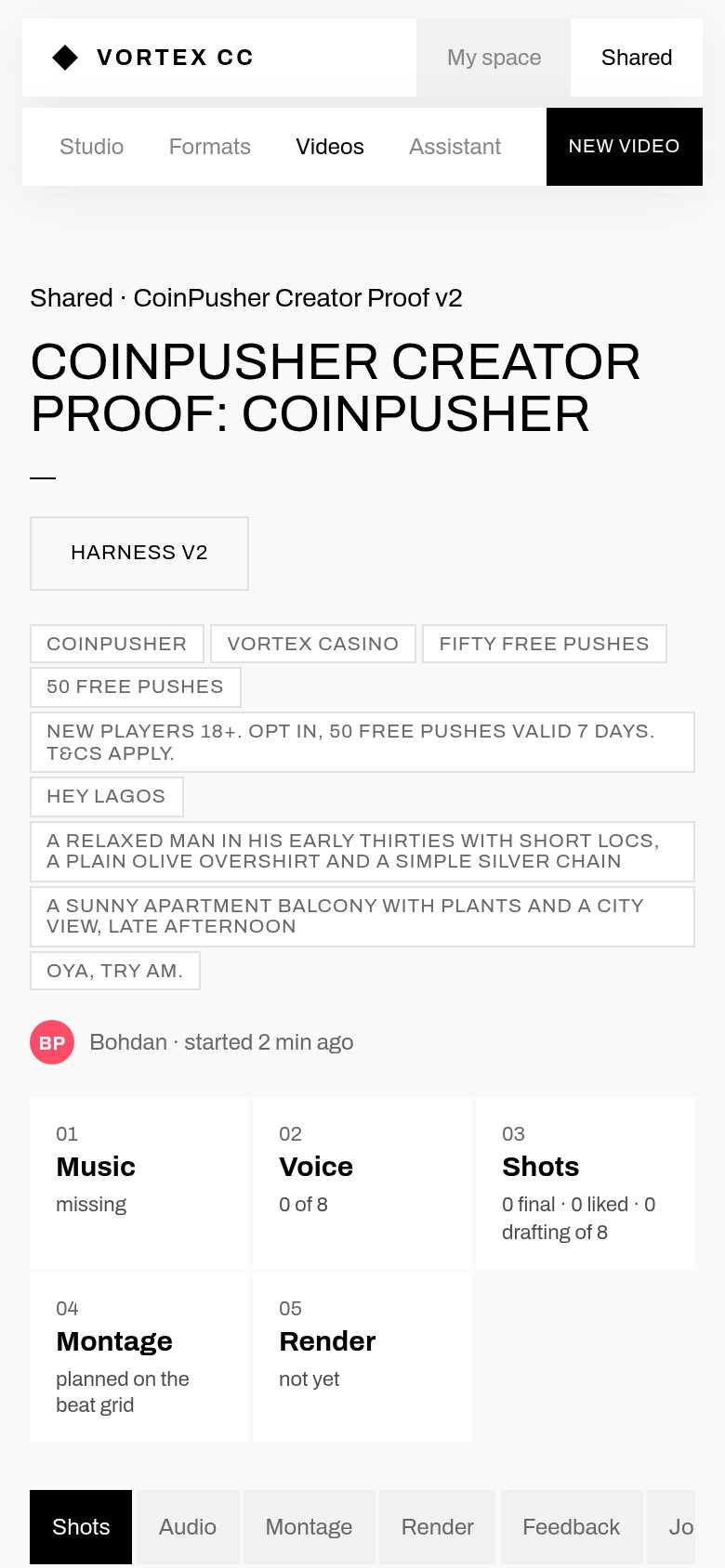
05Review on the phone, between the two of youThe person who didn't make the drafts opens a link on their phone, watches each take full screen, keeps or redoes it, and leaves a note at a second.+
Beforevideo page on a phone
Aftermockup
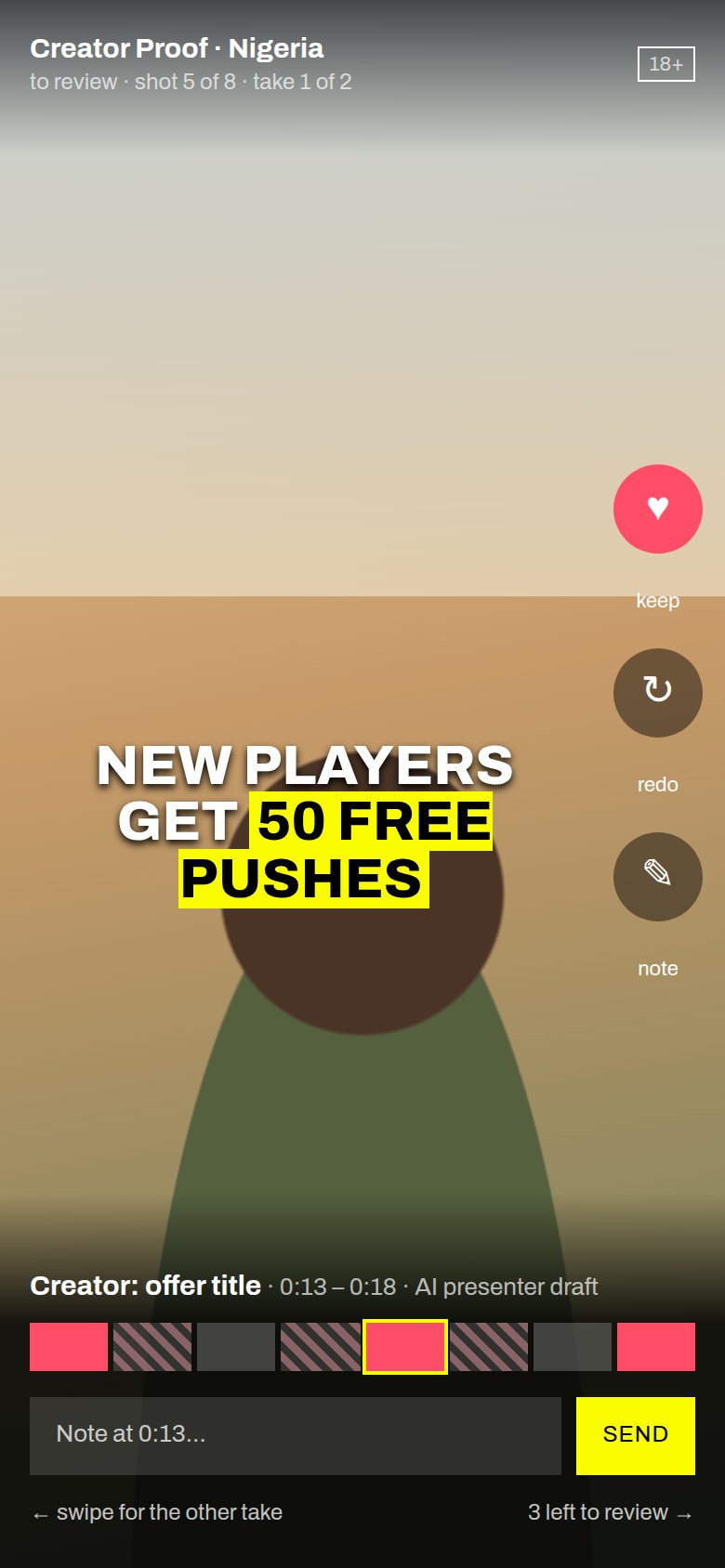
What changes
- "Send to teammate for review" on a video makes a review link and adds it to their "To review".
- Notes are pinned to a time and show next to the storyboard (change 01).
- A ping when drafts or the cut are ready, in Telegram or Slack, so neither of you has to keep the tab open. Draft runs take minutes and an analysis about 38 minutes per 10 s example.
Why
With two people the real workflow is "one makes, the other judges". Today the shared signals are the ♥ on a take and a Feedback tab with stars and a note for the whole video. Nothing ties a note to a shot or a second, and nothing tells the other person it's their turn.
Mthe ping needs a bot token you choose; everything else is in the studio.
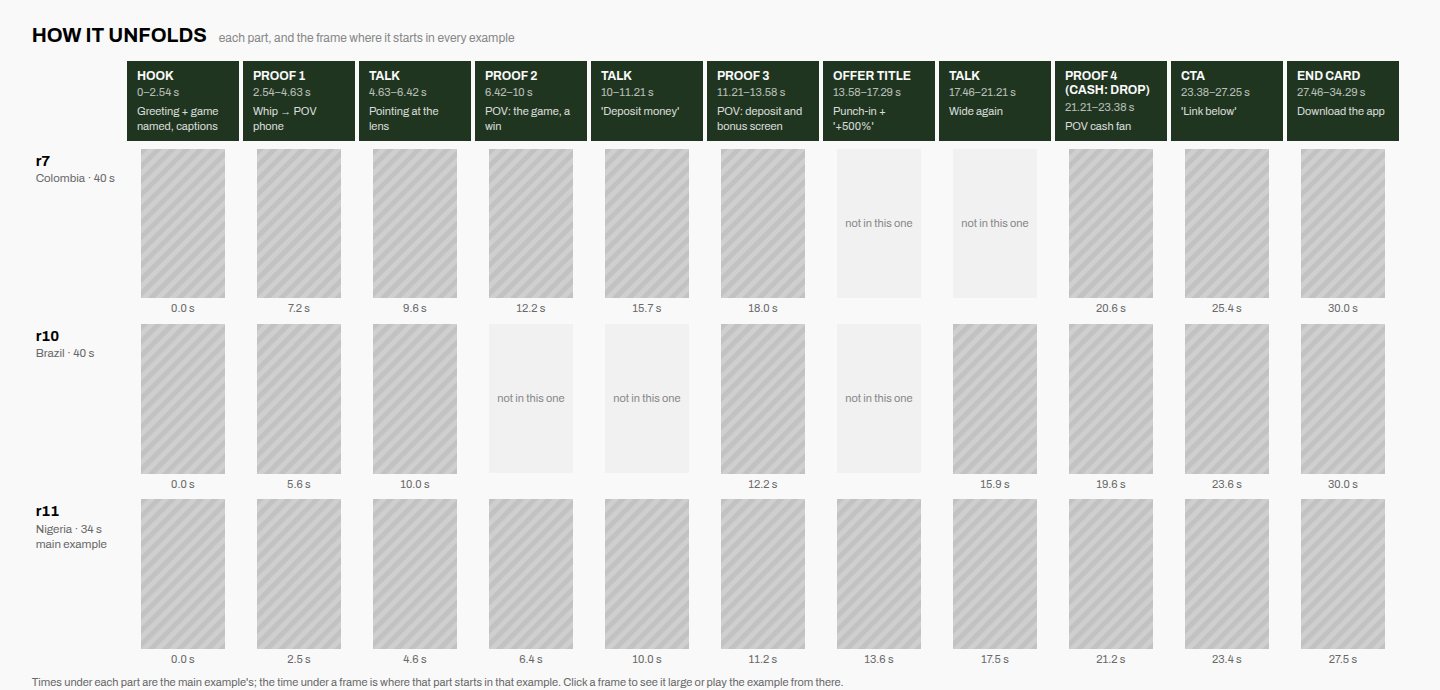
06Format page: "Can we make it?" up topKeep the great "How it unfolds" board. Put a short checklist beside the title: what's ready, what's missing, and the one button.+
Beforeformat overview
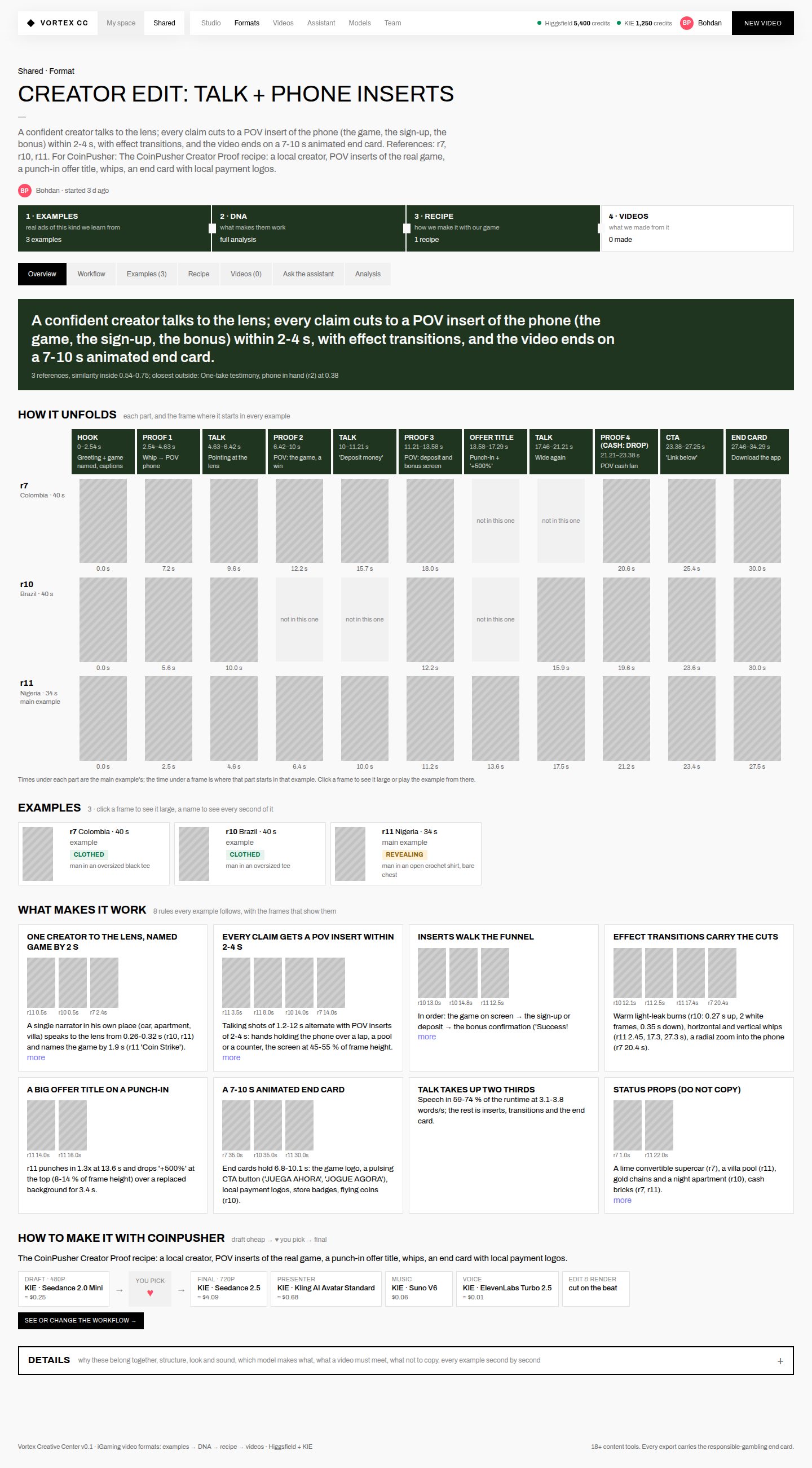
Aftermockup
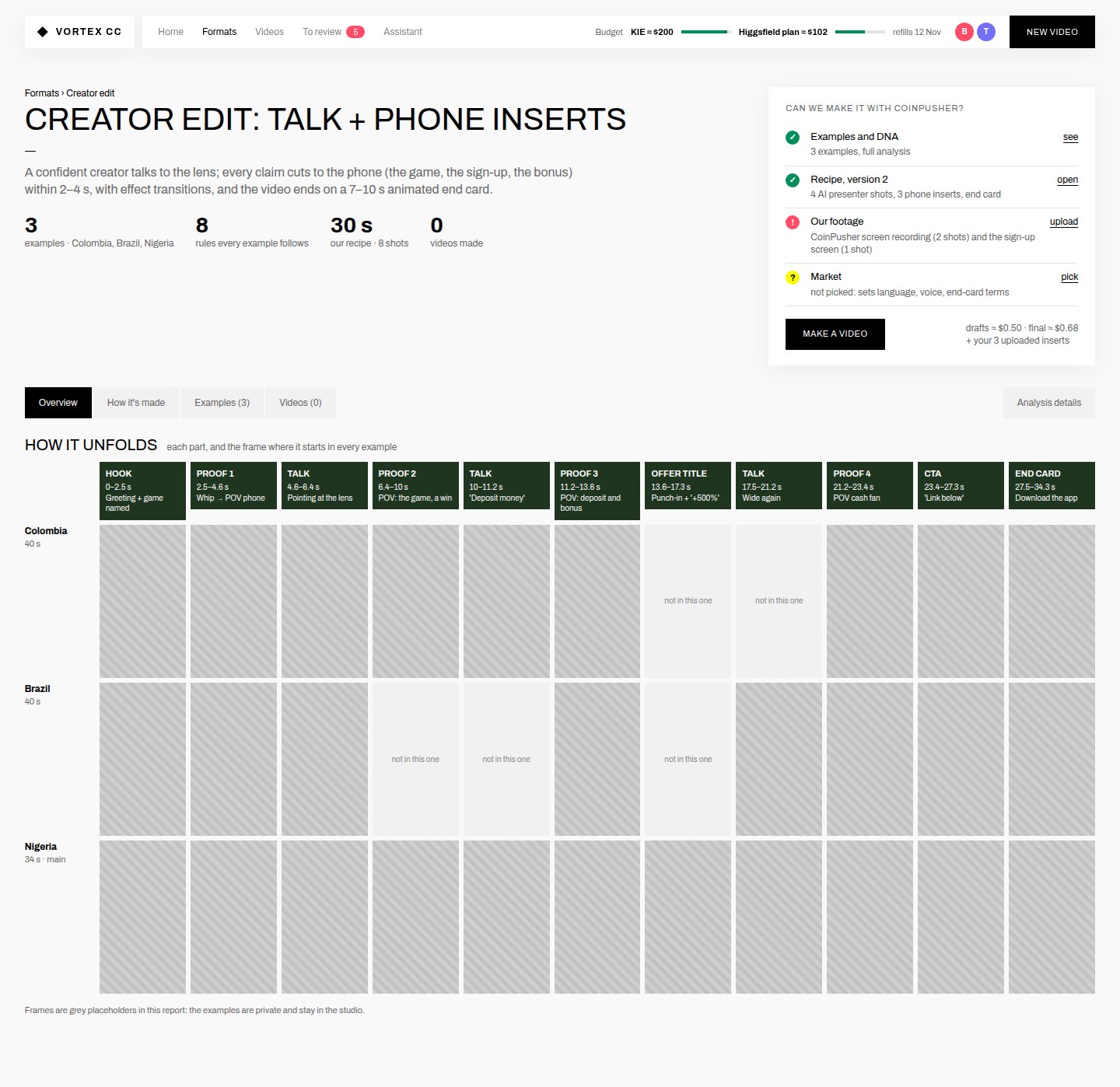
Sit reuses what the format page already knows.
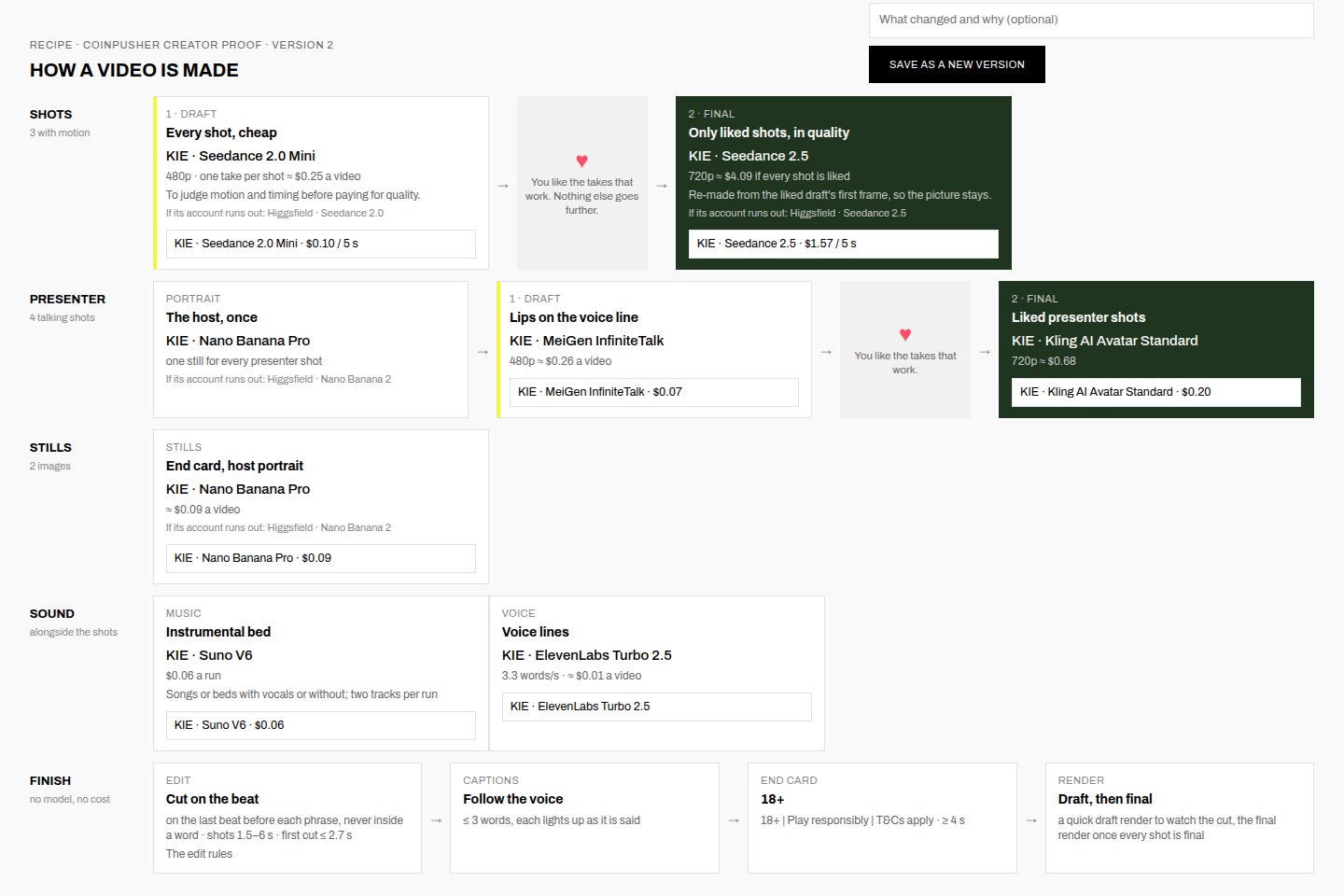
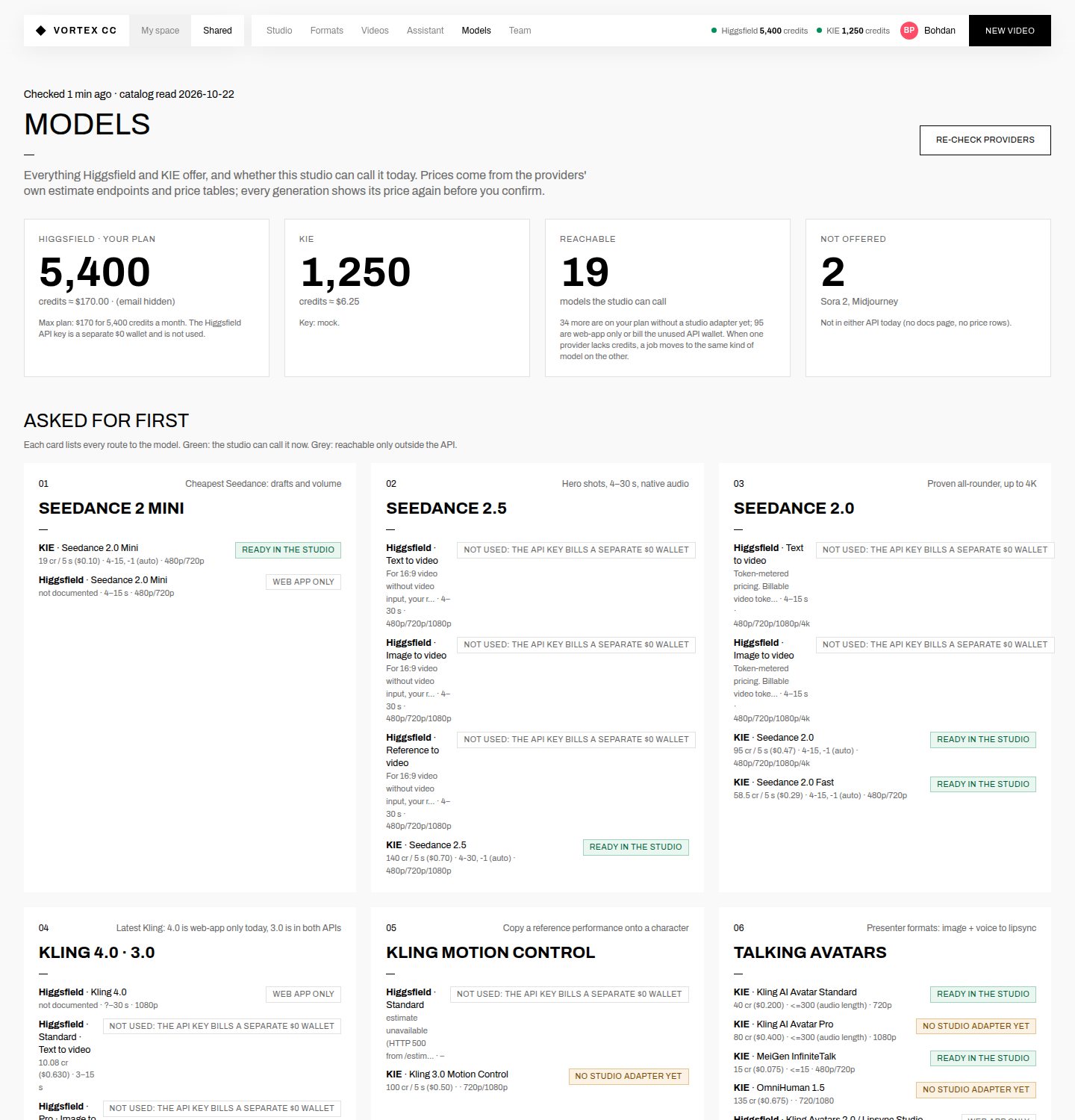
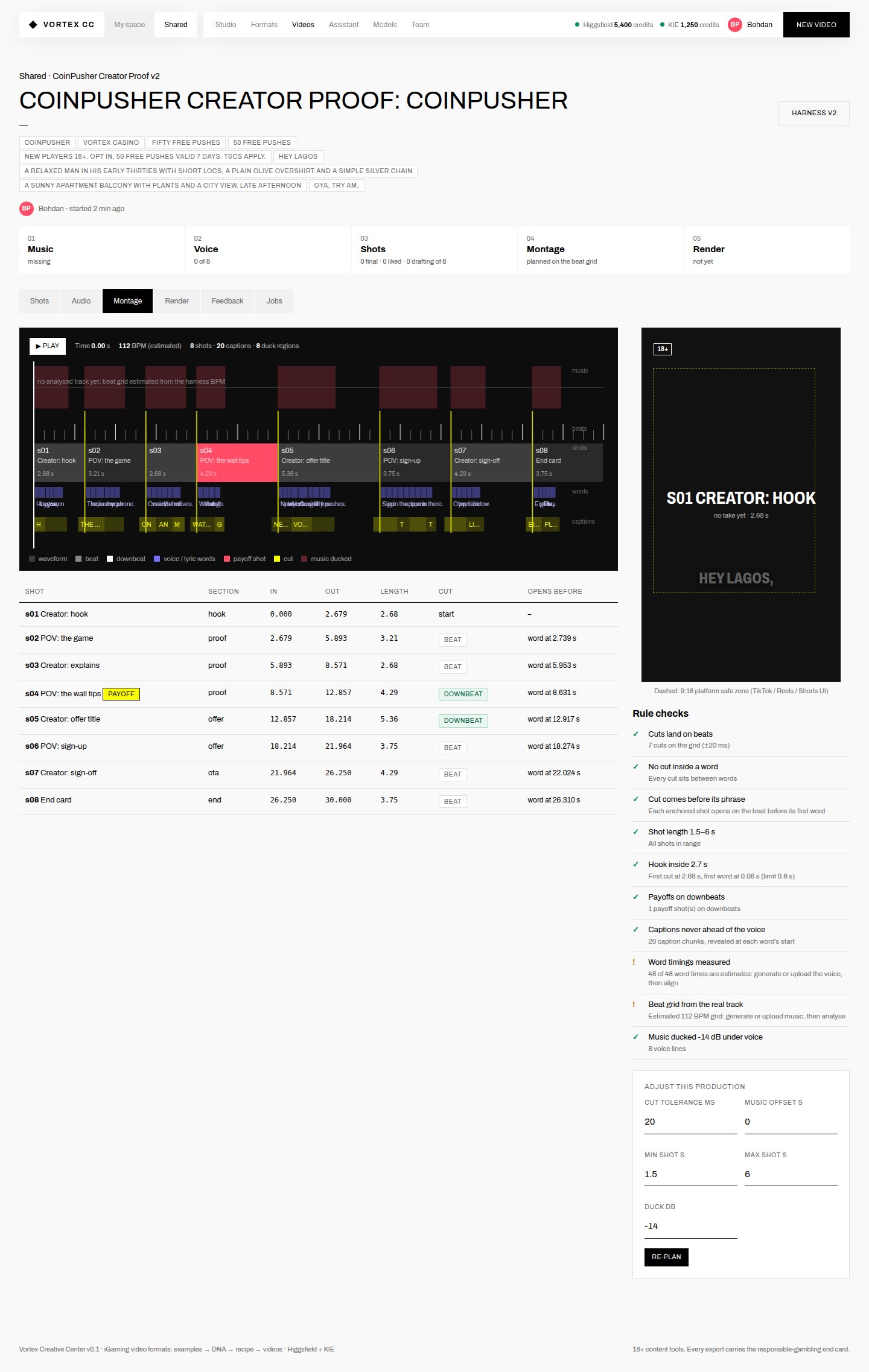
07Plain words, and one door to the engine roomRename what's left of the engineer vocabulary, round the numbers, and put the knobs behind a single "Advanced" button.+
BeforeModels page, top of 13,400 px
Beforevideo page, Montage tab
| Where | Today | Proposed |
|---|---|---|
| Video page button | Recipe v2 | |
| New video | Create the video | |
| Team card | 0 recipes · 0 videos | |
| Activity | started the format Street crowd spectacle | |
| Format and recipe text | Examples: Colombia 40 s, Brazil 40 s, Nigeria 34 s | |
| Examples | 40 s · a drop zone | |
| Video tabs | History (what ran, what it cost) | |
| Shots | Shot 1, Shot 2… | |
| Montage | Under Advanced; the default shows the phone preview and the rule ticks | |
| Menu | One Settings page: models and prices, the two of you, invites |
Smostly text; Models and Montage move, they aren't removed.
08One studio for two peopleDrop the My space / Shared switch. Everything is shared; trying a change makes a draft version inside the recipe, with your initial on it.+
BeforeTeam page
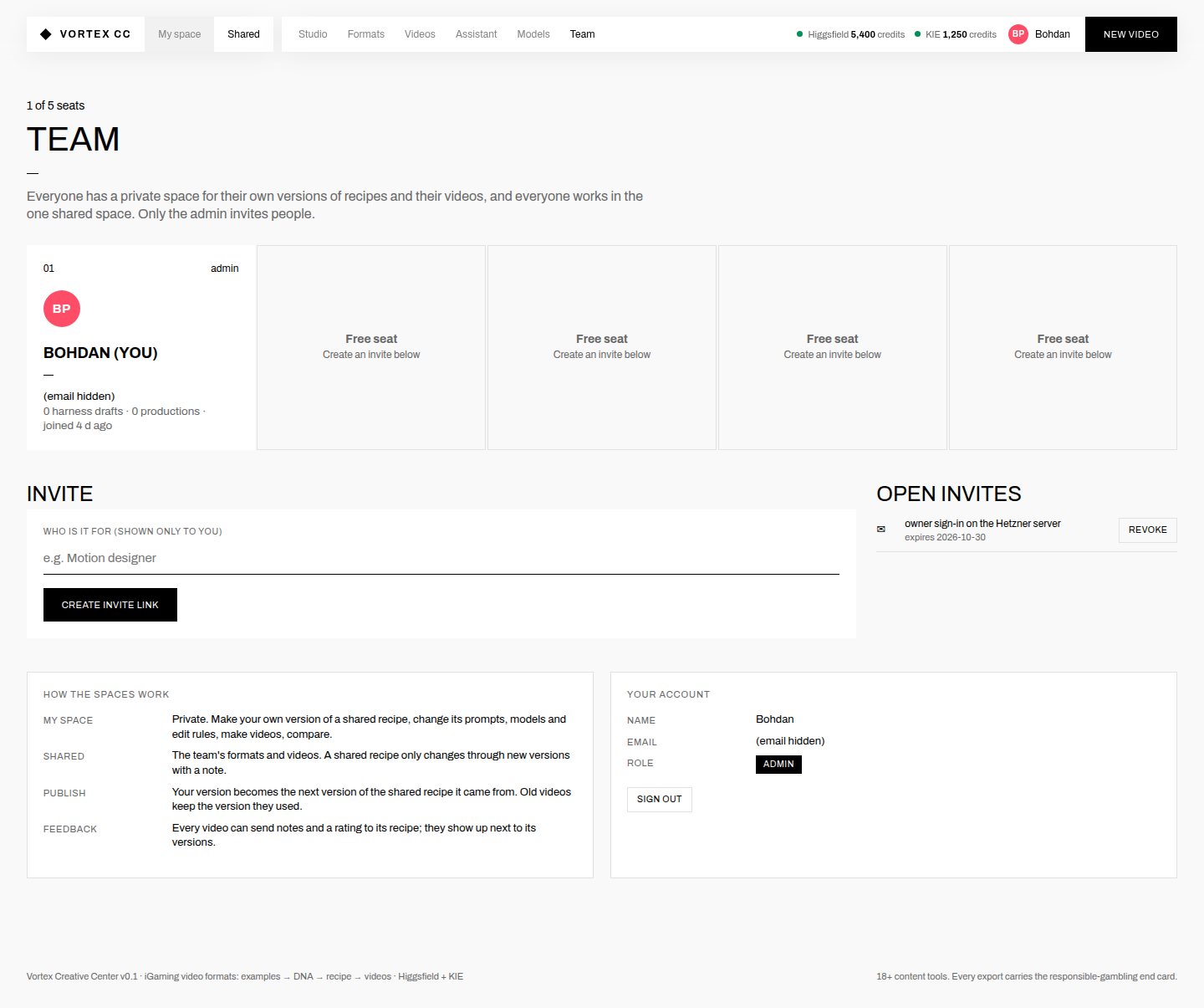
What changes
- No space switch in the menu (visible in every "after" picture).
- "Try a change" on a recipe makes draft version 3, marked with whoever made it. Videos can use it. "Make it the main version" replaces fork and publish.
- Each video shows who has the next step ("your turn", "Teammate · checking the cut").
- Inviting the second person moves onto the home page until they join (change 03).
The honest tradeoff
You lose fully private experiments. With two people that's a feature: you see each other's drafts. If you want privacy back later, a "hide this draft" toggle is enough.
Mtouches how recipes are stored, so I'd do it after 01–04.